16 classic board, card and puzzle games in one app
Public open beta Android
MeshGames All Games - Offline
16 offline board, card and puzzle games. Pay one time.
One Android app for 16 offline board, card and puzzle games. Pay one time, no ads.
Get it onGoogle Play iPhone and iPadApp Store: coming soon

The short answer
What is MeshGames All Games - Offline?
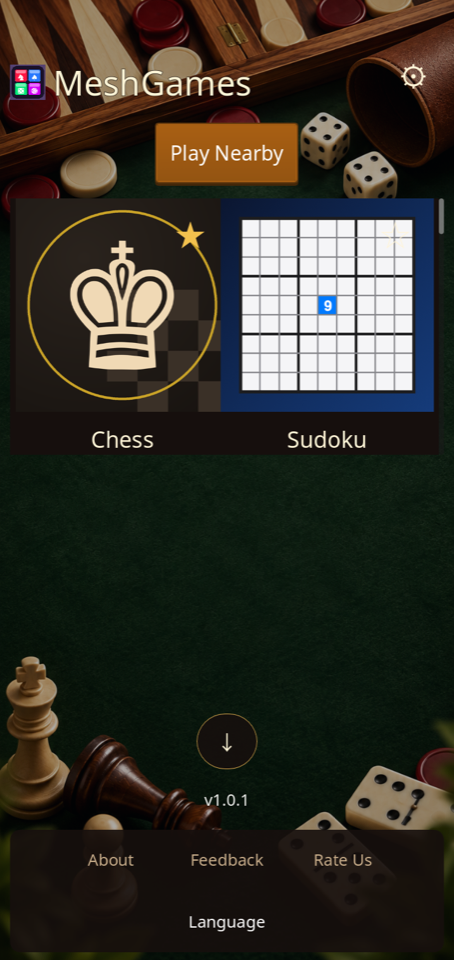
MeshGames All Games - Offline is a paid Android app from DataXad. It holds 16 offline board, card and puzzle games in one install. You pay one time: USD 9.99 on Google Play. There are no subscriptions, no in-app purchases, and no ads. A home grid shows one card for each game. In each game menu, tap All games to go to the grid. Star a game to move it to the top of the grid. The boards fill the screen in portrait and landscape. Nearby Bluetooth play with text and voice chat works in games with nearby play. Bluetooth is used only when you host a nearby session or connect to one. No game uses money. The app has no account, no sign-in, no advertising, no analytics, and no Internet permission. The app keeps your statistics and local profile on your device.
- Developer
- DataXad
- Platform
- Android (Google Play)
- iPhone and iPad
- TestFlight build; App Store release coming
- Price
- US$9.99
- Account, ads, analytics
- None
- Internet permission
- Not requested
- Package
- com.dataxad.meshgames.main
- Games
- 16 offline board, card and puzzle games
- Price
- USD 9.99 paid one time, with no in-app purchases
- Accounts
- None. No account and no sign-in.
- Internet
- Not required. The app has no Internet permission.
- Nearby
- Bluetooth is used only when you host a nearby session or connect to one
- Orientation
- Portrait and landscape
What is in the app
Built around the game.
Home grid with one card for each game
Star a game to move it to the top of the grid
All games button on each game menu goes to the grid
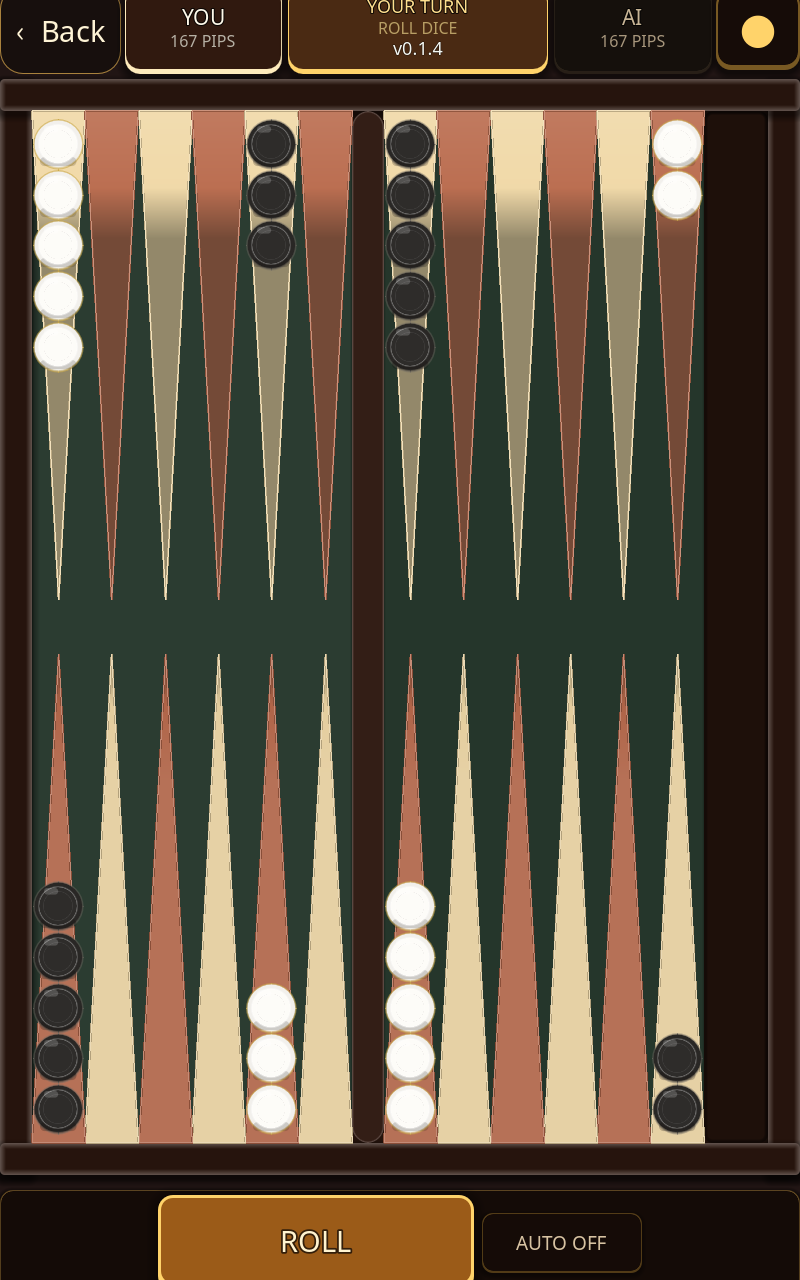
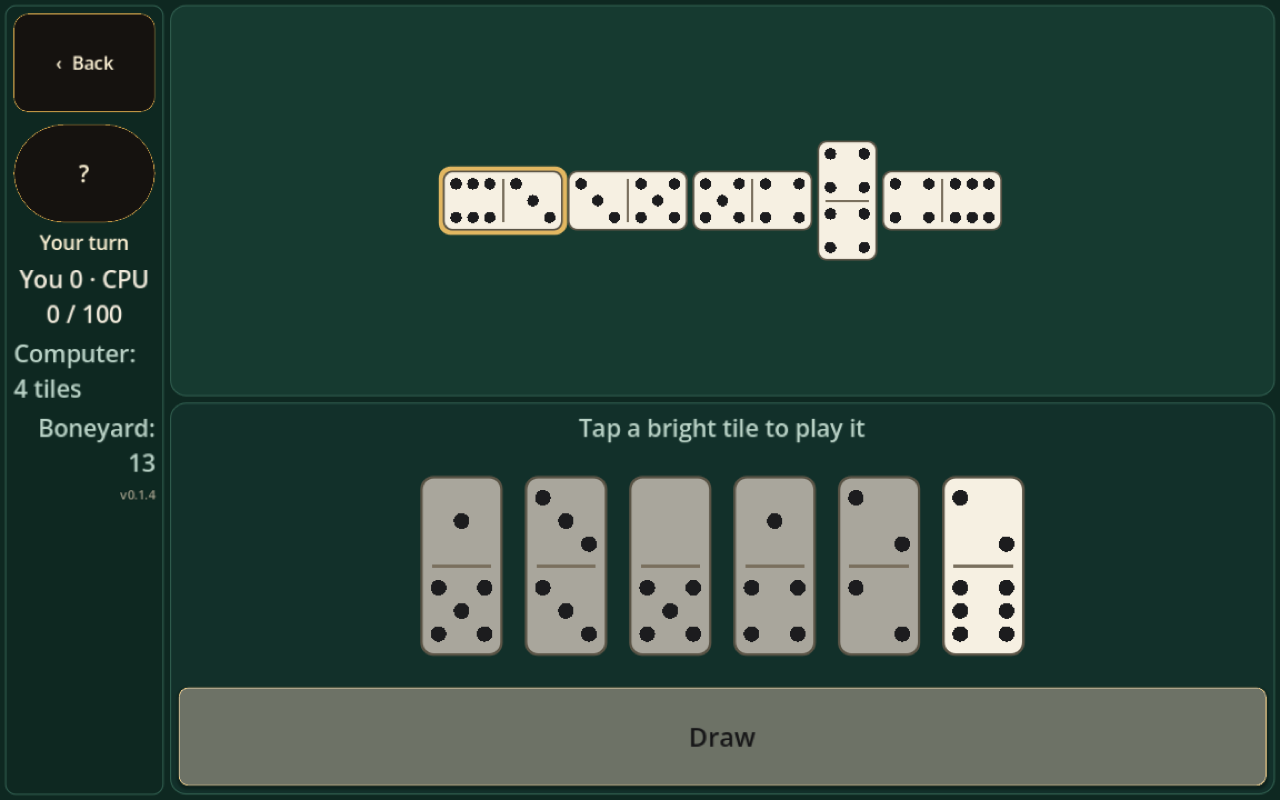
Boards fill the screen in portrait and landscape
Nearby Bluetooth play with text and voice chat in games with nearby play
Mute a player, or report a player by email draft
No account, no ads, no in-app purchases, and no Internet permission
A quick start
How to play.
- 1
Select a game card on the home grid to open that game's menu.
- 2
In the game menu, select the setting you want.
- 3
Tap All games to go to the home grid.
- 4
Tap Play Nearby on the home grid to chat or play nearby.
Nearby lobby
Conversation stays close.
Bluetooth is used only when you choose to host or join a nearby session in a game that supports it. Nearby Bluetooth play with text and voice chat where a game supports it. Optional push-to-talk radio: hold the button to talk to the players in your session; one player speaks at a time, and nothing is recorded or saved. Optional text chat with short messages that stay on the nearby connection and disappear when the session closes. Mute or block any player; blocks are remembered on your device. Report a player through the in-app report option, which opens an email draft you choose to send.
Voice and text chat travel only over the nearby connection, are not uploaded to DataXad, and are not stored by the app. On-device mute and block controls apply only on your device; reporting opens an email draft that you decide whether to send.
Real app captures
At the table.
Questions and answers
MeshGames All Games - Offline: common questions.
Which games are in MeshGames All Games?
MeshGames All Games includes 16 games: Backgammon, Checkers, Chess, Crazy Eights, Dominoes, Gin Rummy, Go Fish, Jigsaw, Ludo, Mahjong, Match3, Poker, Rummy, Solitaire, Spider Solitaire, and Sudoku. A home grid shows one card for each game.
How is it different from the single-game apps?
Each single-game app holds one game. MeshGames All Games holds the full collection in one install, with one home grid. Each game keeps its own menu and rules. Each game menu has an All games button. Tap it to go to the grid when you want. You pay one time for the full collection.
How much does MeshGames All Games cost?
MeshGames All Games costs USD 9.99 on Google Play. You pay one time. There are no subscriptions, no in-app purchases, and no paywalls. Google Play changes the price to your local currency at checkout. Each game in the app is complete and unlocked from the start.
Does MeshGames All Games need an internet connection?
No. You can play each game offline, with no internet connection. The app has no account, no sign-in, and no Internet permission. Each game runs fully on your device. Nearby play uses Bluetooth only when you host a nearby session or connect to one.
Does the app collect or share my data?
Nothing is uploaded to DataXad or to a server. The app has no advertising, analytics, or tracking SDKs. The app keeps your statistics and local profile on your device. Nearby chat and voice travel only between the connected devices.
Can I play with someone nearby?
Yes, in games with nearby play. Bluetooth is used only when you host a nearby session or connect to one. Nearby play includes text and voice chat. One player speaks at a time, and nothing is recorded or saved. Not all games have nearby play.
Does MeshGames All Games include gambling?
No game uses money, wagering, or prizes. Poker uses play money that has no cash value. The app does not sell play money. Poker is declared as simulated gambling for the Google Play rating. The other games are card, board, and puzzle games.
Does the game work in landscape?
Yes. The boards fill the screen in portrait and landscape. In landscape, the Back button and the game status sit in a left rail. The rail gives the board more room.
Can I mute or block a player?
Yes. You can mute or block each player in a nearby session. A block stays on your device. To report a player, use the in-app report function. It opens an email draft. You send it only when you want.
Why does the app ask for a Location permission?
Earlier Android versions can group Bluetooth discovery in the Location permission. The app does not use that permission to display, save, or share your physical location. Bluetooth is used only when you host a nearby session or connect to one.
Play MeshGames All Games - Offline today.
Get it onGoogle Play iPhone and iPadApp Store: coming soon
More from MeshGames
Play something similar.

Private by default
No account. No ads. No gameplay cloud.
Local settings, saves, statistics, and profile data stay on your device. The app does not request internet access and includes no advertising, analytics, or tracking SDK.