Classic Sudoku
Fill every row, column, and 3x3 box with the numbers 1 through 9. The core game stays readable and self-contained.
 MeshGamesSudoku
Classic Sudoku · Android · Offline
Solve a classic Sudoku, return for a Daily Challenge, and keep your progress and stats on the device. Touch-sized controls make the whole board comfortable on a phone, offline.
Google Play availability
Available on Google Play
MeshGames Sudoku is available as an Android install from its public Google Play listing.
The puzzle, kept focused
MeshGames Sudoku is a small, local-first puzzle loop: open a grid, make a few careful choices, and come back to the state you left.
Fill every row, column, and 3x3 box with the numbers 1 through 9. The core game stays readable and self-contained.
Return to a fresh daily puzzle when you want a small repeatable ritual, alongside the classic game.
Keep in-progress boards and local stats on the device. There is no profile to create and no cloud account behind the puzzle.
Designed for the phone in your hand
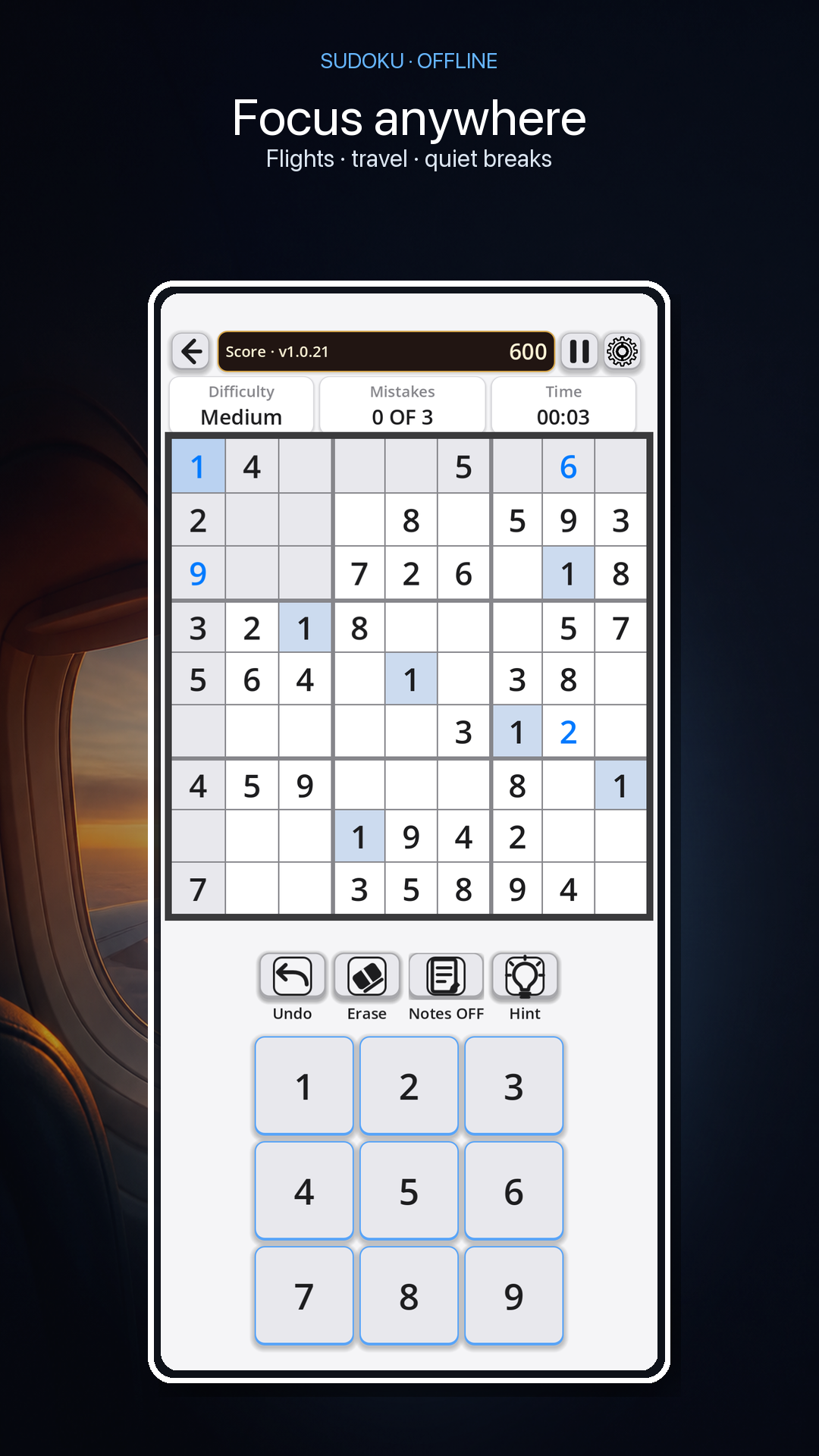
Select a cell and the board helps you stay oriented: the active row, column, and 3x3 box are highlighted together. The 1–9 keypad sits below the board at a phone-sized touch target.
A puzzle you can leave and return to
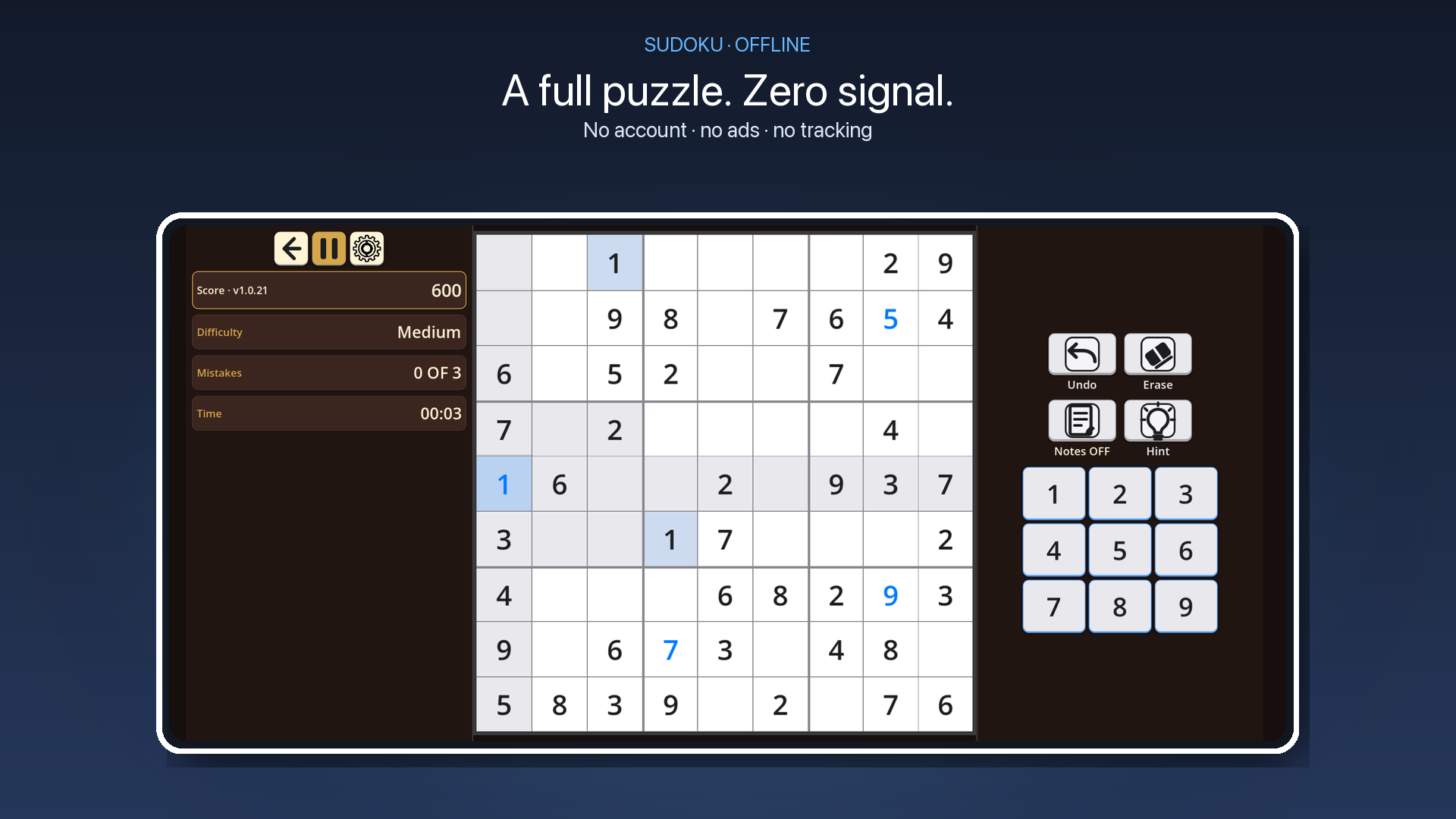
Local progress lets an unfinished board stay where you left it. Local stats keep the useful context close: score, difficulty, mistakes, and time without sending a play history anywhere.
Offline privacy posture
Play, progress, and stats stay on the device. No account or cloud service is required.
MeshGames Sudoku is an offline Sudoku puzzle game from DataXad for Android phones and tablets. It is free and in public open beta on Google Play. The grid is 9 by 9 squares, with six levels, from Easy to "Extreme". The Daily Challenge is one Medium puzzle each day. Use Notes, Erase, Undo, and Hint while you work. The score, mistake count, and timer stay on screen. Three mistakes end a run. The app keeps an unfinished puzzle on your device. You can race a nearby friend by Bluetooth on the same puzzle, with live progress. Optional push-to-talk voice and text chat stay on the nearby connection. Nearby play is in open beta. The grid fills the screen in portrait and landscape. The app has no account, no sign-in, no advertising, no analytics, and no Internet permission. Bluetooth is used only when you host or connect to a nearby session. Your progress and local statistics stay on your device.
Questions, answered
Yes. The app does not request the Internet permission. Classic Sudoku, the Daily Challenge, local progress, and local statistics all work offline. Bluetooth is used only when you host or connect to a nearby session. The app has no account and no sign-in, so you can start a puzzle right after the install.
MeshGames Sudoku is on Google Play for Android phones and tablets. It is in public open beta. You can find MeshGames Sudoku in the Google Play Store. You can also use the Google Play button on this page.
No account or sign-in is necessary. The game has no advertising, no analytics, and no SDKs that monitor you. Your progress and local statistics stay on your device. Nearby play uses Bluetooth only when you host a session or connect to one.
Download MeshGames Sudoku from its public Google Play listing. Use the Google Play button on this page to open the listing. Then install the app on your Android phone or tablet. The app has no account and no sign-in, so there is no setup before your first puzzle.
It includes a nearby race by Bluetooth. The two players work on the same puzzle, and each phone shows live progress. Optional push-to-talk voice and text chat stay on the nearby connection. There is no online matchmaking and no cloud sync. Nearby play is in open beta.
Tap the gear icon, then tap Feedback. The app opens a draft in your email app. Nothing is sent automatically. You review the draft, and you can send it or not. The draft does not add your statistics or device diagnostics.
MeshGames Sudoku has six levels: Easy, Medium, Hard, Expert, Master, and "Extreme". Select a level to start a puzzle. Each level sets how many numbers are given at the start. Easy starts with 51 numbers. "Extreme" starts with 19 numbers.
On the home screen, tap Play Nearby. Then host a nearby session, or connect to one. Bluetooth is used only for that session. The two players receive the same puzzle. The first player to finish it wins the race. Nearby play is in open beta.
The Daily Challenge is one Medium puzzle for each calendar day. The date comes from your device. Tap Play Daily Challenge on the home screen to start it. If you have started it, the button shows Resume Daily Challenge. The home screen also shows your Day Streak in the local statistics.
Only when you hold the push-to-talk button during a nearby session. One player speaks at a time. Nothing is recorded or kept. Voice is peer-to-peer and is not uploaded. Puzzle play does not use the microphone.